Care for a parent, from afar.
You can't be there every day. Her screen can.
Idyll turns the iPad your mom already has into a screen full of her family: her photos and the stories behind them, someone to talk to who checks in on her every day, and everyone she loves one tap away. You do it all from your phone, in a couple of minutes. She never has to learn a thing.
Free for 14 days · then $19.99/month, per iPad — introductory price for founding families · the family app is always free

Everything she sees, you picked
The photos and the stories behind them. Her music and her books. Her day. Even the things the companion likes to talk to her about.
You choose all of it from your phone, from three states away, and it shows up on her iPad a minute later.
Nothing comes from a stranger. Nothing is picked by an algorithm. And she doesn't have to do a thing — no account, no passwords, nothing to set up. Her screen just fills up with the people who love her.
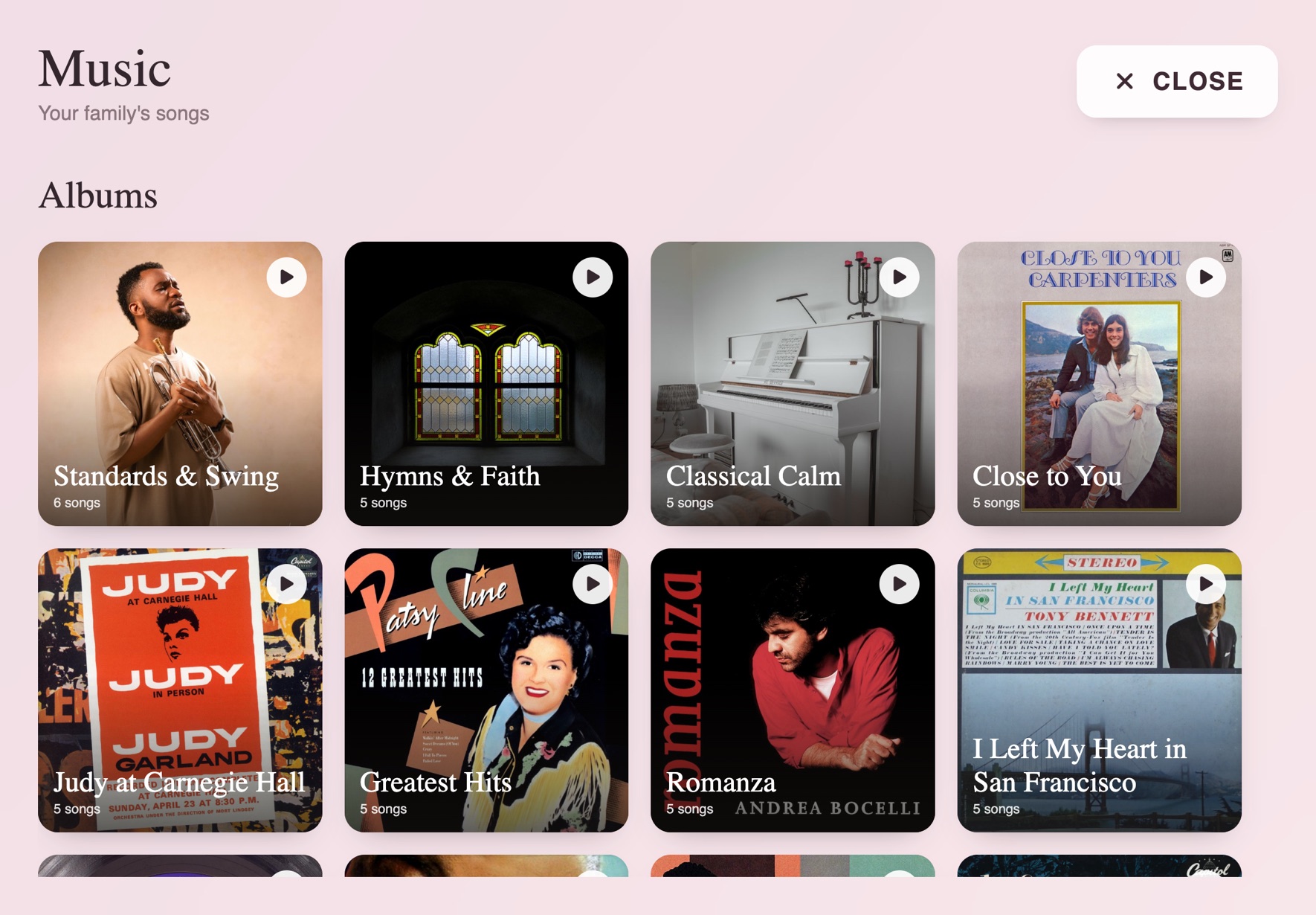
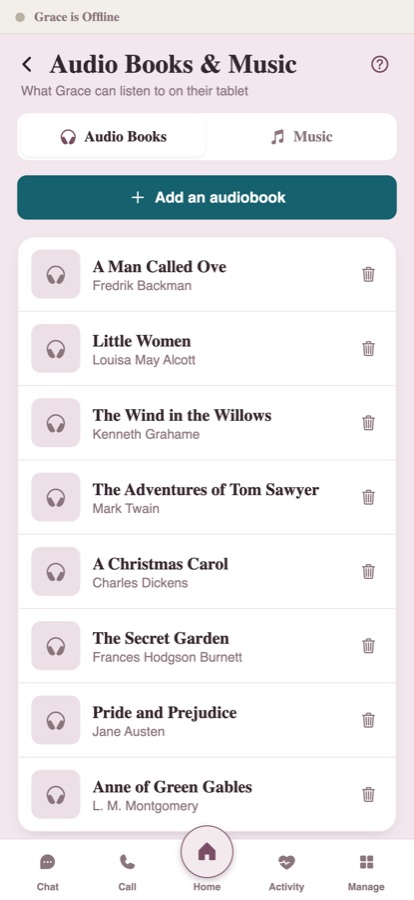
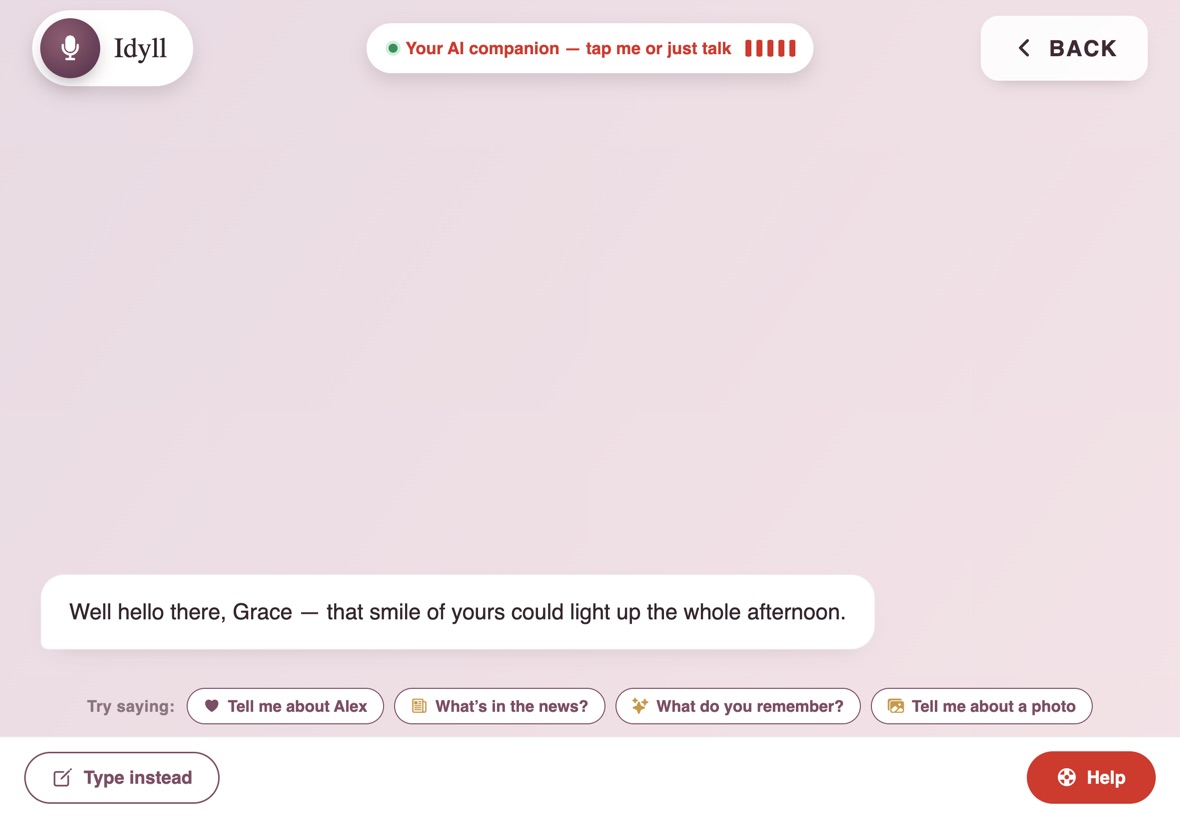
One screen, and everything she loves is on it
No settings. No passwords. No little buttons to hunt for. Her whole world is one big tap, or one spoken question, away.
Her life, playing on the screen all day
Leave Idyll alone and it fills the whole iPad with her photos, big, one after another — the people and places that made her. It's the first thing she sees in the morning and it stays there all day, like having the family in the room with her.
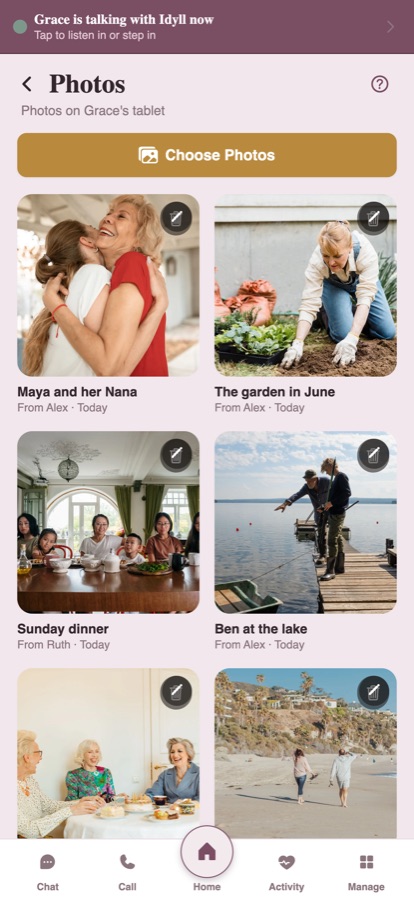
And every photo can carry its story. You record who's in it, where you were, what that day meant, and Idyll holds onto it. So when your mom lands on a picture of her granddaughter, she sees the face and hears the story behind it, in your voice. Weeks later Idyll might bring it up on its own.
All you do is send it from your phone. That's the part that gets people: it takes thirty seconds, and it means everything to her.

Someone who checks in on her, every day
You give the companion a name and a voice, and it becomes a familiar presence in the house. Every morning it starts a conversation — asks about the people she loves, stays off the subjects she'd rather skip, remembers what she told it yesterday.
When she wants to talk, it's good company. When she's quiet, it lets her be quiet. She can ask it anything out loud — what day it is, when you're coming, whether it'll rain — and it answers her plainly, patiently, every single time.
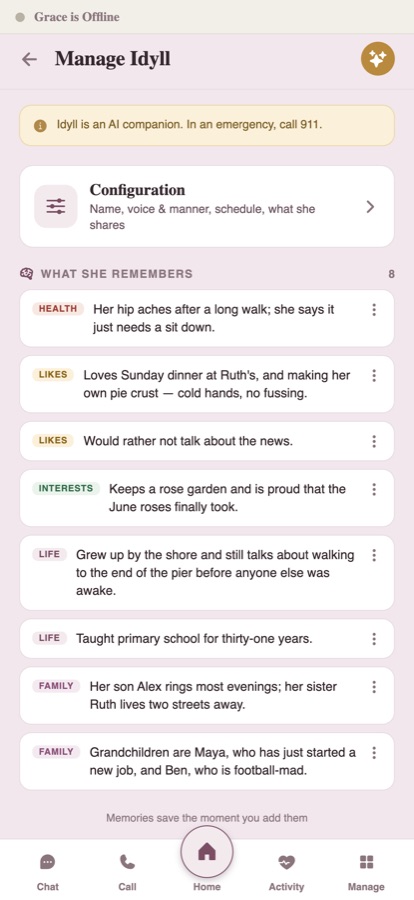
You decide what it knows about her, all from your phone. You can read back everything it's learned, and forget any of it with one tap.
Idyll always says it's an assistant, never gives medical or money advice, and if it hears real distress it urges your mom to reach you or call 911.
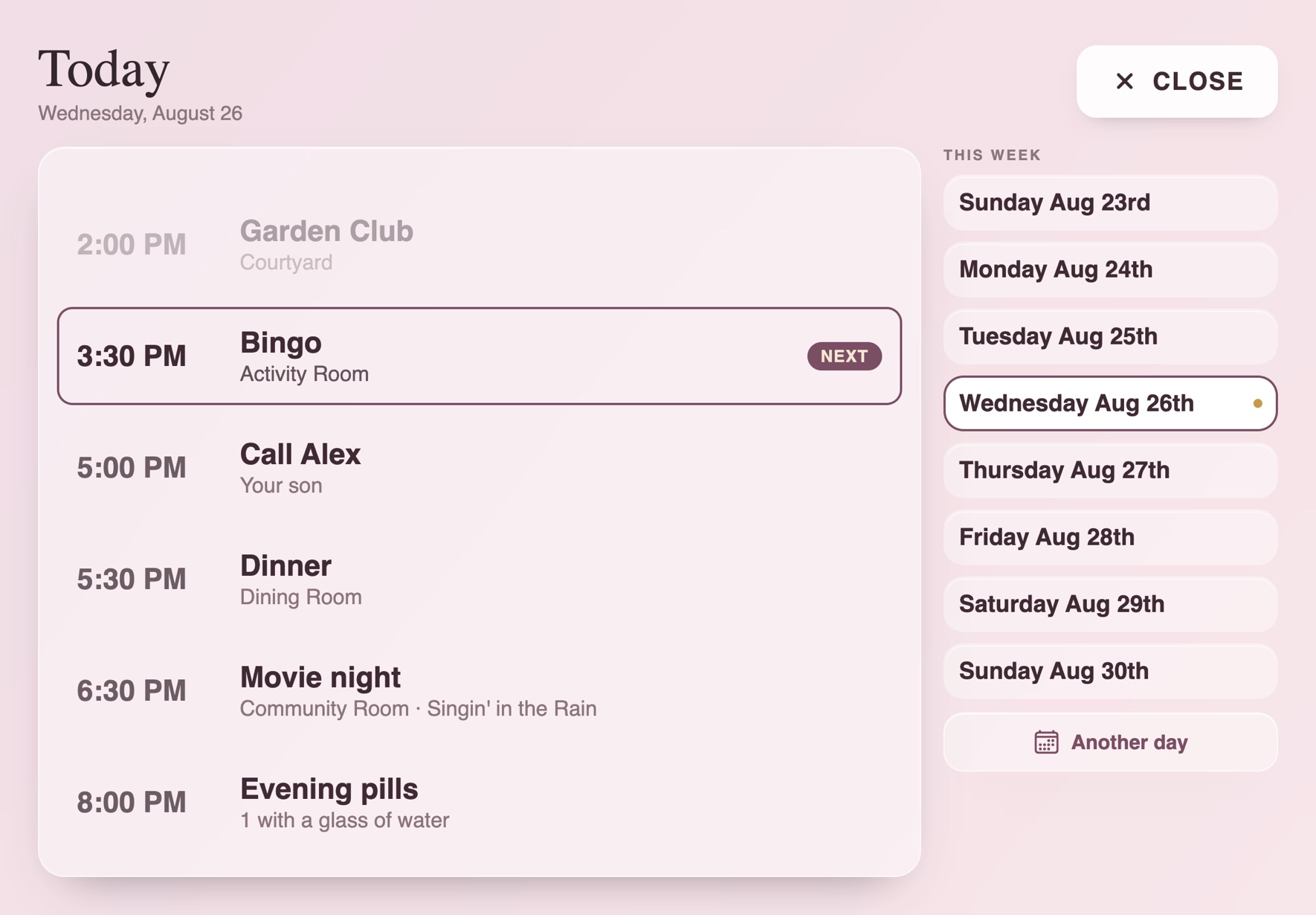
The activities she keeps missing, now on her screen
If she's in a senior community, there's a calendar of things to do every month — exercise class, bingo, the singer who comes on Thursdays. But it's a sheet of paper she can't read, or it's buried under the mail, so she stays in her room and misses all of it.
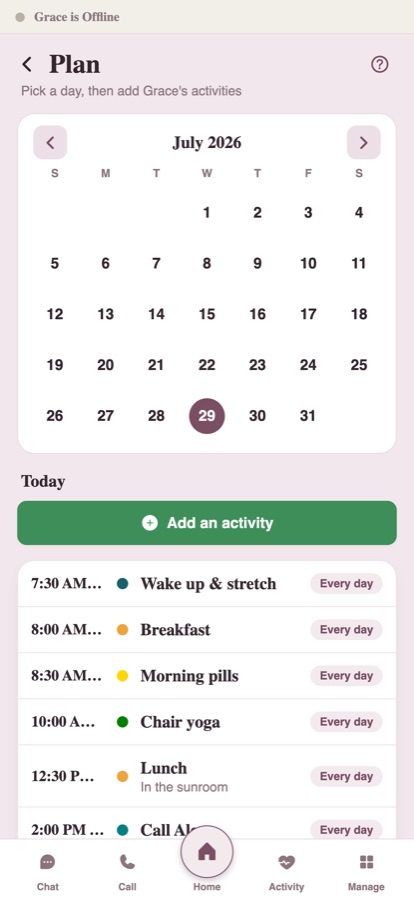
Put the ones she'd like on her screen from your phone, and Idyll tells her out loud when it's time: "Bingo starts in ten minutes, down in the activity room." Her appointments, her pills, your call at six — same thing. The day lays itself out for her, shows what's happening now, and reminds her without her having to read or track anything.
I'll be honest about what this is: a kind reminder, not a nurse. It can't walk her down the hall, and it won't tell you she went. But she stops missing the parts of her day she actually wanted — and after each check-in, you get a note on how she seemed.
The music and books she loves, ready to play
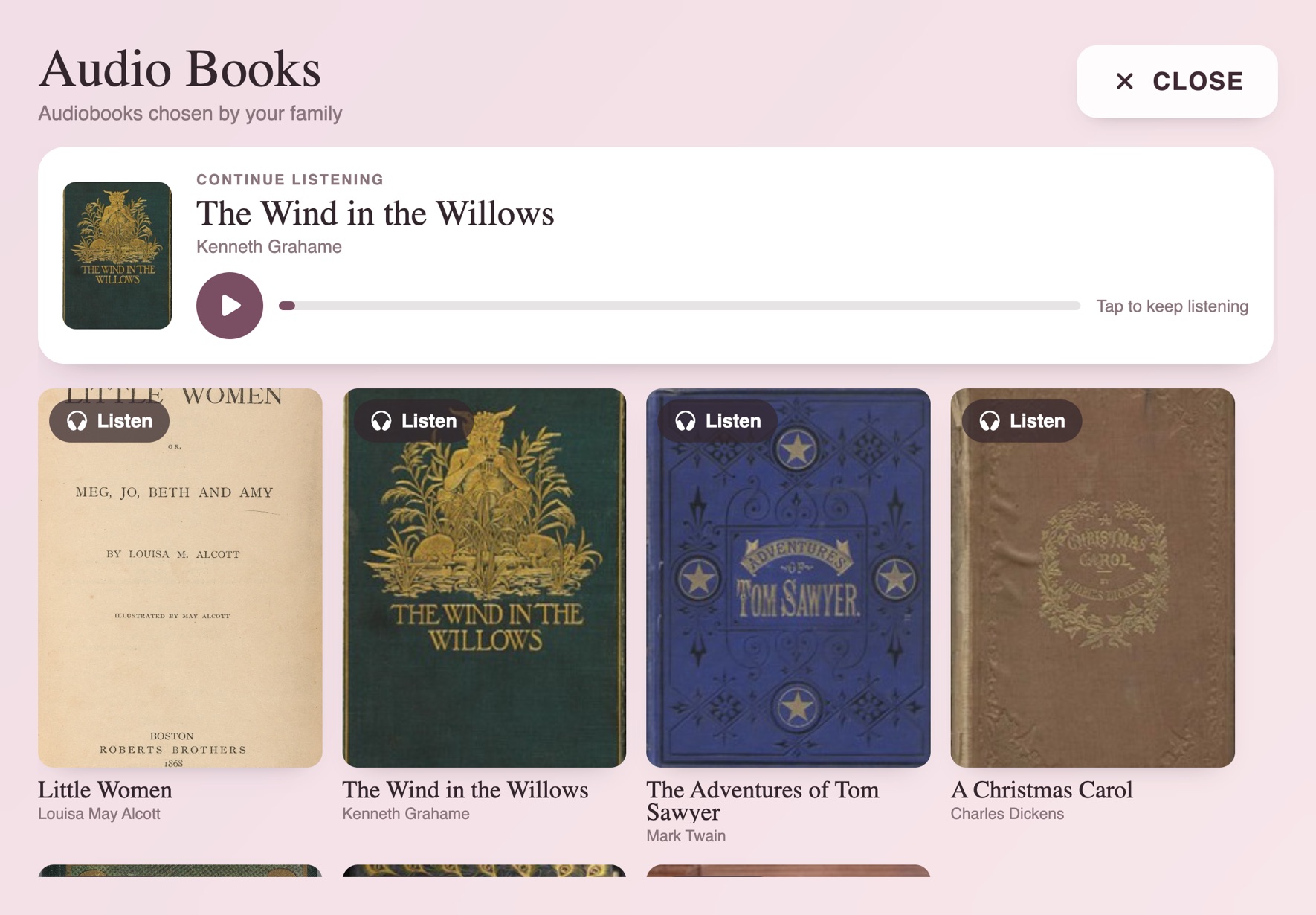
A shelf of audiobooks and a stack of her music, waiting on the screen. She taps a cover and someone reads to her, or the songs she raised you on start playing. It picks up right where she left off, so she never has to find her place.
You fill the shelf from your phone — her authors, her records, the hymns from her church. No algorithm decides what she hears. You do.
Something to do that never makes her feel dumb
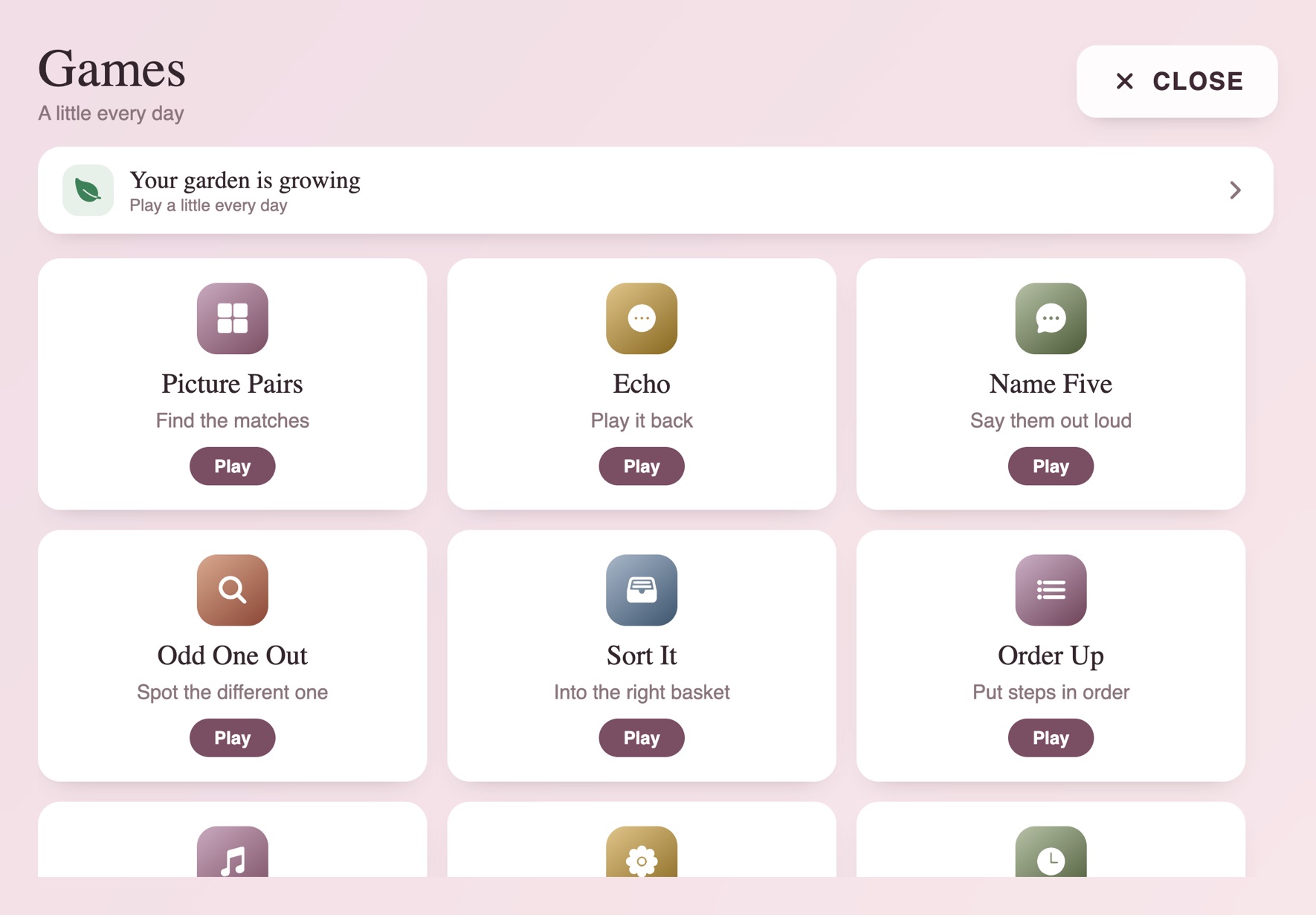
Nine simple games with no timer, no score, and no way to lose. They're built fresh each time so they never get stale, and a small garden on her screen grows a little more every day she plays.
She can't get anything wrong, and that's the point.
See her face in seconds
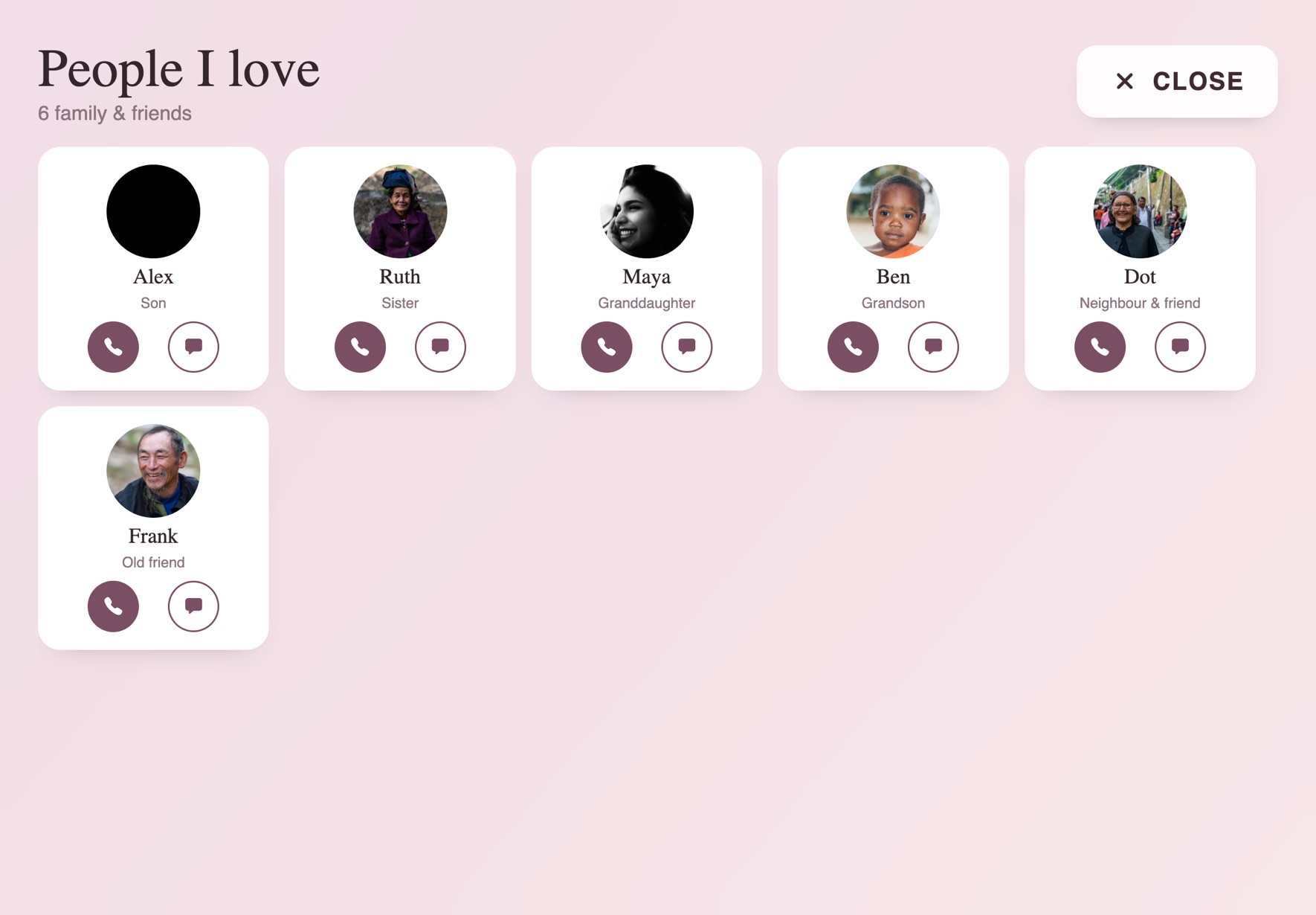
Everyone who can reach her is a photo on her screen. She taps your face to call you, and only the people you've invited can get through, so there's no spam and no strangers.
If she can't always get to the screen in time, you can set it so your call just connects — you're there with her, face to face, without her lifting a finger. For a lot of families, that's the whole thing: you can always get eyes on Mom.
If the screen is still too much, make it simpler
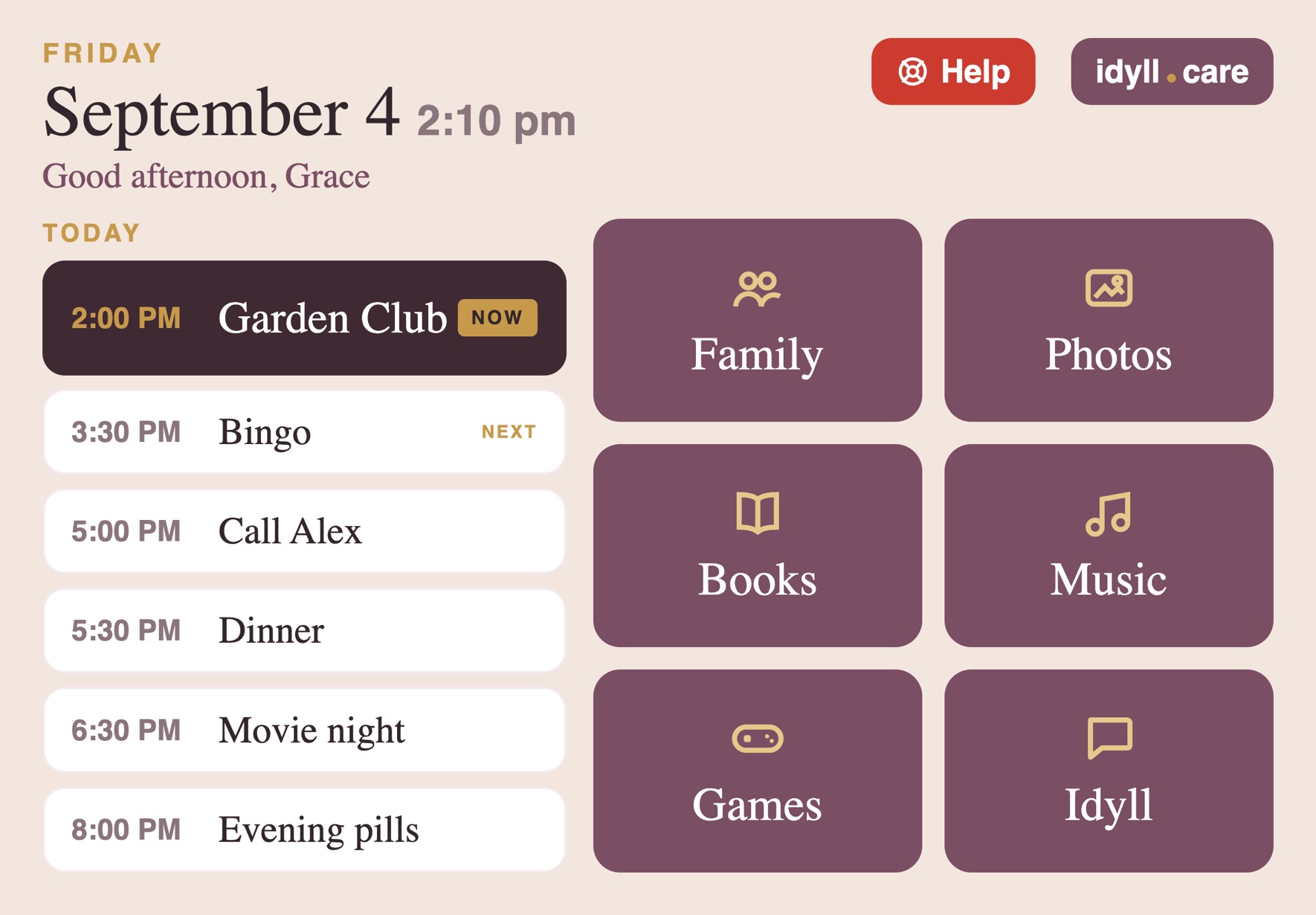
Some days, or some diagnoses, ask for less. Simple Mode replaces her home screen with six large tiles and the day laid out beside them — no photograph behind the words, nothing that moves, nothing that appears on its own.
Everything still works exactly as it did. It isn't a stripped-down version of Idyll; it's the same Idyll, quieter. You turn it on from your phone, and you can turn it off just as easily. Help is always there, and it's the only red thing on her screen.
You run all of it from your pocket
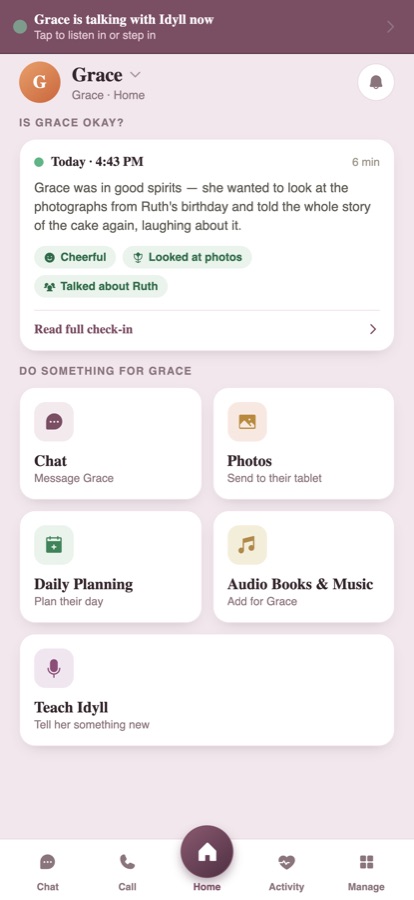
Know she's alright at a glance, and keep her screen full of the people she loves — from anywhere.
"Is Mom okay?" answered
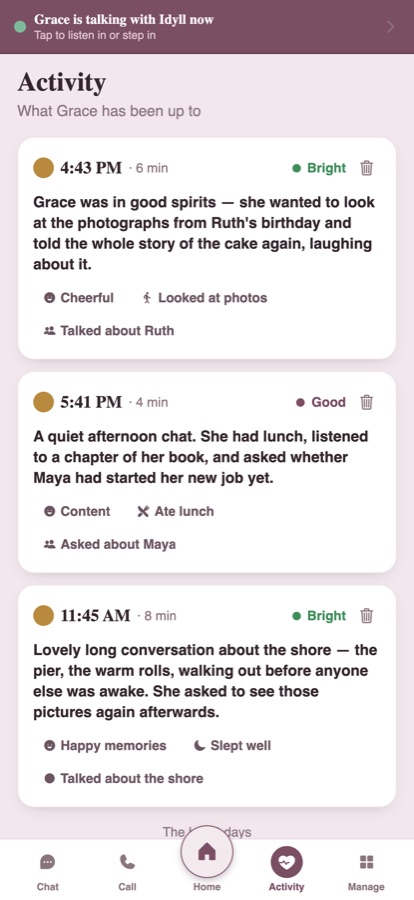
After each conversation you get one short note in plain words: how she seemed, something she talked about, anything worth knowing.
One code to pair
Her iPad shows a 4-digit code, you type it into your phone, and you're linked. No account or password for her to manage, ever.
You invite her people
Invite the whole family and her friends. Everyone you invite can call her, chat with her, and add photos to her screen. No one you haven't invited can reach her.
Set her day out loud
Say "evening pills at six, every day" and it's done. She hears it a little before, and again when it's time.
Tell it about your mom
Share what matters, and see everything it's learned about her. Forget anything with one tap.
Step into the conversation
Join a live chat between your mom and Idyll and talk as yourself.
This is where you do it all
The check-ins, the photos, her day, her library, the companion herself. All of it yours to set, from anywhere.
One button when she needs someone
There's a single red button on her screen, always in the same spot, and it's the only red thing there. She presses it and it calls your family for real — it rings the first person like a video call, and if they don't pick up, the next, until someone does.
I won't oversell it: this isn't a medical alert service, and the iPad can't dial 911. What it is, is one unmissable way for your mom to reach the people who love her, fast.
Nothing watching the room
No cameras, no recordings, nothing sitting there monitoring her. The companion listens only to talk with her and to write you that short note — not a recording, not a transcript. The camera comes on only during a video call, its status is always shown on screen, and calls are never recorded.
And if a conversation ever sounds like she's upset or frightened, the family gets a quiet heads-up.
Up and running tonight
Once the app is on her iPad and you've started the plan, the rest is yours from your phone. You can have Idyll going before bed.
Get both apps
Idyll on your phone, Idyll on her iPad. Far away? Anyone nearby, or a quick call to walk her through it, gets the iPad app installed.
Pair with a 4-digit code
Her iPad shows a big, friendly number. Type it into your phone and the two are linked. No accounts or passwords on her end.
Fill her screen from your phone
Add family, photos, and her day whenever you like. Her iPad updates itself. She just enjoys it.
One plan. The whole family.
For the one iPad she uses. About the cost of a single hour of in-home care — for a whole month.
- Someone who checks in every day, and every conversation
- Unlimited video calls, messages, and photos
- Her books, music, games, and her whole day
- The app is free for the whole family — every caregiver, every far-off friend, no limit
- Your price is locked while you stay — later families will pay more. No contract, cancel whenever.
- The plan starts on her iPad, during the few minutes of setup — billed to the Apple Account on that iPad
Her screen never goes dark
If a payment ever fails, your side pauses, but her iPad keeps working. Her calls, her photos, her messages, her day, and the companion all keep going. I'm not going to lock a parent out over a billing hiccup.
Straight answers
What happens after the 14 days?+
Do we need to buy new hardware?+
No. Idyll runs on the iPad your parent already owns. Set it on a stand and it becomes her whole screen. If she doesn't have one, we'll help you pick one out. (Android tablets are coming.)
Is this a camera watching my parent?+
No. There's no camera watching the room. The companion listens only to have a conversation and to write you a short note about the day, and that's not a recording or a transcript. The camera comes on only during a video call, its status is always shown on screen, and calls are never recorded.
What if my parent can't use technology at all?+
That's exactly who this is for. There's nothing for her to manage: no settings, no passwords, no updates. Everything is one big tap or a spoken question, and the people who matter are faces on the screen, not phone numbers.
Can my siblings help too?+
Yes, free, with no limit. Brothers, sisters, grandkids, old friends all download the app for nothing. You manage the account; everyone else can call her, chat with her, and send photos to her screen.
How do the books and music get on the iPad?+
You add them from your phone, from audio files you already own. Most formats work and we convert them for you. Everything holds its place between sittings. Copy-protected files (Audible, library loans) can't be added — DRM-free only. Where to get them, step by step →
What happens when she presses Help?+
Her family gets called, for real. The first person on the list you set rings like a live video call; if they don't pick up within thirty seconds, the next one rings, until someone answers. Idyll isn't a medical alert service and the iPad can't dial 911 itself. What it does is make "I need someone" one button she can't miss.
Two apps. One family.


I built this for my mother-in-law, Margie.
She can't use a phone anymore, so there are three separate screens on the table by her chair — one for her schedule, one for the date, one that plays photos. None of them talk to each other, and my wife updates all three by hand.
Idyll does all of it on the iPad she already had, run from my wife's phone.
— Kevin, founder of Idyll